Aug. 05, 2026
The key to selecting an interactive touchscreen lies in finding the technical solution that best matches your usage scenario, operating environment, and
interaction requirements—all within your budget. There is no single "best" screen; there is only the "most suitable" choice.
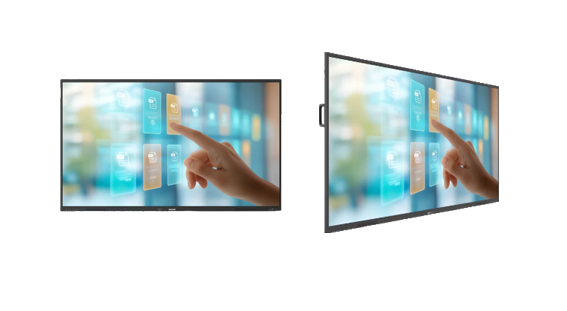
I. Understanding the Three Main Technologies
The mainstream interactive touchscreens on the market today primarily utilize the following three technologies:
· **Capacitive Touchscreens:** These operate on a principle similar to smartphones, utilizing the human body's electrical charge. Advantages include
high sensitivity, rapid response (latency as low as 5–10ms), and support for smooth multi-touch and gestures. Disadvantages include potential
malfunctions when wearing gloves or if the screen has water droplets, as well as higher costs. They are ideal for scenarios demanding a premium
writing experience and tactile feel, such as smart education and high-end conferencing.
· **Infrared (IR) Touchscreens:** These rely on an infrared matrix located along the screen's bezel. Advantages include a simple structure, extremely
high light transmission (nearly 100%), compatibility with any input object (stylus, finger, etc.), moderate cost, and ease of maintenance. Disadvantages
include relatively lower precision and potential interference from strong light. They are suitable for education, conferencing, and public display scenarios
where budgets are limited and extreme precision is not required.
· **Resistive Touchscreens:** These determine input location by detecting contact between two conductive layers when pressure is applied. Advantages
include the lowest cost and compatibility with any input object (gloves, pens, or hard objects). Disadvantages include lower light transmission (approx.
80%), a lack of support for complex gestures, and susceptibility to screen wear. They are currently used primarily in specialized scenarios, such as
industrial control, where glove-based operation is required.
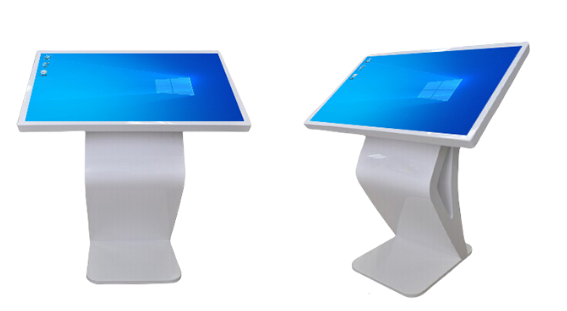
II. Matching the Screen to the Scenario
· **Smart Education:** The priority is providing a natural, fluid writing experience. Capacitive screens are the top choice; their low latency (ideally
<8ms) and high precision best replicate the feel of traditional handwriting.
· **Corporate Conferencing:** The priority is efficient collaboration and information sharing. Capacitive screens offer the best experience, though
infrared screens are a stable and capable alternative if the budget is limited. Recommended sizes range from 65 to 86 inches, depending on the size
of the conference room.
· **Industrial Control:** The priority is stability and reliability. Screens require high protection ratings (at least IP65 for dust and splash resistance),
the ability to operate across a wide temperature range, and electromagnetic interference (EMI) resistance. If operation while wearing gloves is
necessary, resistive screens remain an irreplaceable choice. · Public and Commercial Displays: The priorities are eye-catching appeal and durability.
Infrared (IR) screens offer high cost-performance, while capacitive screens provide a superior user experience. Key considerations include brightness
(at least 700 cd/m² is recommended to combat strong ambient light), anti-glare screens, and robust housing.
III. Focus on Key Specifications and Avoid Purchasing Pitfalls
· Touch Performance: Beyond advertised specs like "10-point" or "20-point" touch, prioritize low latency (ideally <30ms) and personally test the
screen's responsiveness—specifically how well it tracks your touch ("hand-following" feel).
· Display Quality: Aim for a minimum 4K resolution; ensure brightness is at least 350 cd/m² for well-lit environments; and opt for anti-glare glass
to minimize reflections.
· Reliability and Lifespan: For industrial settings, prioritize ingress protection ratings (IP65/IP67) and MTBF (Mean Time Between Failures). For
education or retail environments, focus on screen impact resistance and material safety certifications.
· Software and Ecosystem: Verify compatibility with your standard software and check if the manufacturer provides ongoing content updates
and technical support.
In summary: Choose capacitive screens for the ultimate writing experience; opt for infrared screens if you have a limited budget or need large-
format displays; and select resistive screens if operation requires wearing gloves in harsh industrial environments.
+0086 755 21042870
+0086 755 2822 5493
Shenzhen Company: 5/F, Building 211, Tairan Science Park, Tairan 4th Road, Shatou Street, Futian District, Shenzhen(518040), China.
Dongguan Factory: 2/F, Building D, Fulin Industrial Park, Weixi Road, Dalingshan Town, Dongguan City(523831), Guangdong,China
NAVIGATION
REQUEST A QUOTE