Sep. 23, 2026
The core difference between a 17-inch industrial touch monitor and a 17-inch industrial touch computer (also known as an industrial panel PC) lies in
whether or not a computing core is integrated. An industrial touch monitor is essentially a ruggedized "screen" that requires an external host computer
to function; in contrast, an industrial touch computer is an "all-in-one device" that integrates the screen, touch functionality, motherboard, CPU,
memory, and storage into a single unit.
This structural difference leads to significant distinctions in application scenarios, deployment logic, and long-term maintenance strategies.
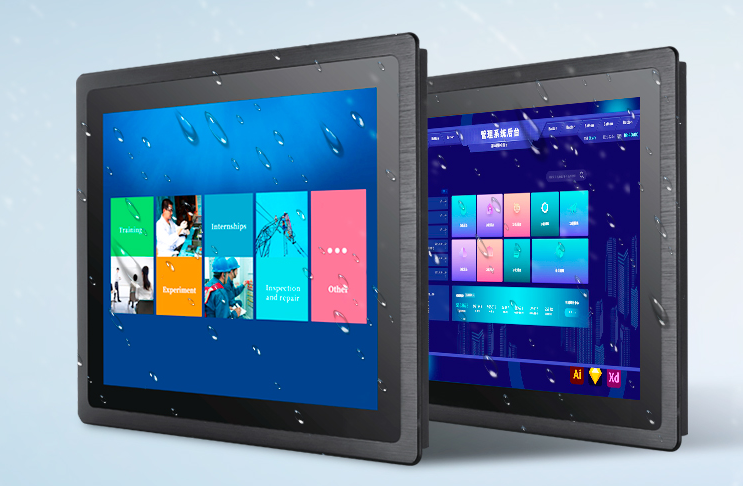
Industrial Touch Monitors: An Extension of the "User Interface"
Industrial touch monitors are positioned as dedicated display and interaction terminals. Lacking a CPU and operating system, they must connect to a
separate host (such as an industrial PC, Box PC, or server) via video interfaces like VGA, HDMI, or DVI to display images, while touch signals are
transmitted back via USB or serial ports.
This architecture—separating the screen from the computing unit—offers irreplaceable advantages in the following scenarios:
1. Equipment Protection in Harsh Environments
In settings such as metal processing, foundries, or chemical plants, factors like oil, dust, vibration, or high temperatures can pose direct threats to
sensitive computing components. Engineers can place the delicate industrial host computer in a clean electrical cabinet away from the production
floor, while positioning only the rugged 17-inch touch monitor at the operator station. The monitor typically features an IP65-rated front panel to
withstand water splashes and dust, eliminating the need to expose the CPU to these hazards.
2. Multi-Screen Expansion and Centralized Control
In central control rooms or along production lines, a single industrial host computer often needs to drive multiple display terminals simultaneously.
17-inch industrial monitors can serve as "dumb terminals" distributed across various workstations, with a high-performance backend server handling
all processing and image distribution. This approach reduces per-unit hardware costs and simplifies software deployment.
3. Leveraging Existing Computing Resources
If an industrial PC responsible for logic control is already in place and only a local user interface is needed, purchasing an industrial touch monitor is
the more economical choice. It functions essentially as an "external monitor" for the existing computer, removing the need for redundant computing
hardware.
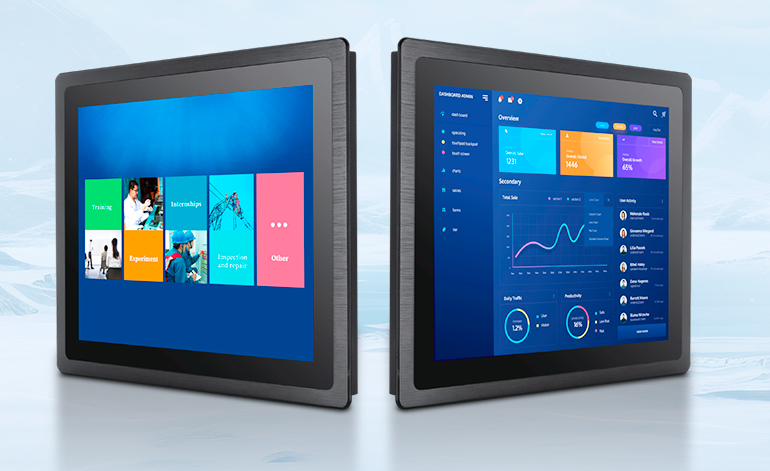
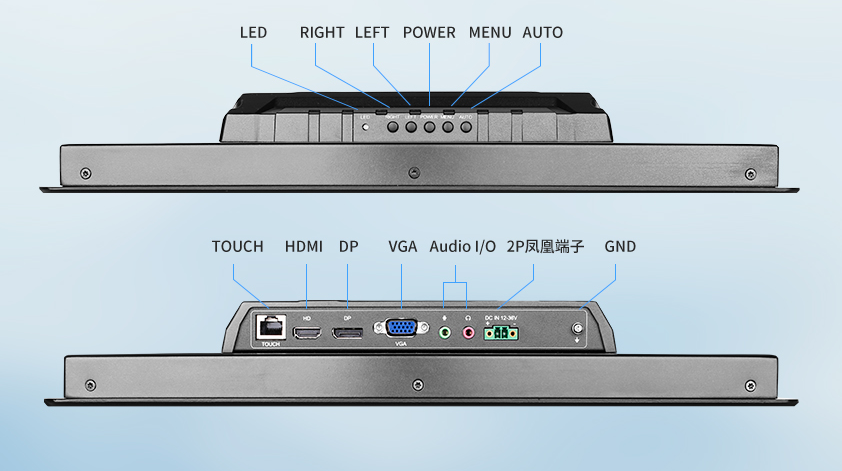
Industrial Panel PCs: Integrated Solutions as "Standalone Nodes"
An industrial panel PC integrates the motherboard, storage, interfaces, and touchscreen display into a single, fanless metal housing. Essentially a
complete computer sealed within a panel, it can run SCADA, HMI, or MES client software independently once powered on.
They are best suited for compact, standalone workstations with clearly defined maintenance boundaries:
1. Space-constrained standalone equipment
In applications like CNC machine tools, packaging machinery, or semiconductor equipment, there is often no room inside the control cabinet for a
separate industrial PC. An industrial panel PC can simply be embedded into a cutout in the panel, eliminating the need to find space for a main unit
or route extra video and touch cables. For equipment manufacturers, this simplifies both electrical design and the assembly process.
2. Plug-and-play standalone operator stations
For scenarios such as monocrystalline silicon furnaces, automated assembly line stations, or rail transit monitoring terminals, operators need an
interface that is ready to use immediately. With a built-in operating system and software, the panel PC is operational as soon as it is powered on;
the user does not need to worry about the location of the main computing unit. This all-in-one design offers the cleanest, most efficient solution
for distributed, standalone operating points.
3. A focus on simplicity and reliability
A separated system involves more connectors, cables, and potential points of failure (such as loose video cables or disconnected touch USBs).
In high-vibration environments, the integrated structure of a panel PC minimizes exposed interfaces, theoretically reducing the causes of physical
failure. Additionally, it requires only a single power cable, making installation extremely simple.
Making the Choice: Key Decision Factors
The right choice depends on how you answer the following questions:
If the primary requirement is to "protect the computing core" or support a "one-to-many" setup (one PC driving multiple displays), choose a
touchscreen monitor. You can keep the expensive industrial PC in a secure location while letting the lower-cost monitor withstand the harsh
conditions of the shop floor.
If the primary requirement is "space savings" or "standalone operation," choose an industrial panel PC. There is no need to find space for a
main unit or route complex cabling; the all-in-one unit can simply be embedded directly into the equipment panel. If computing performance
requires frequent upgrades, opt for a touch monitor paired with a separate host unit. When processing power becomes insufficient after a few
years, you simply replace the Box PC inside the electrical cabinet, avoiding the need to dismantle or scrap an entire all-in-one unit embedded
in the panel.
If the screen is at high risk of damage, choose a touch monitor. On the factory floor, it is usually the screen that gets damaged by tool impacts
or rough handling. With an all-in-one unit, replacing the screen effectively means scrapping the entire computer; with a modular setup,
however, you only need to replace the monitor, while the host unit can be retained for continued use.
In summary, a 17-inch industrial touch monitor acts as a passive interface serving an existing computing core, whereas a 17-inch industrial
touch computer functions as an active node—essentially an independent control workstation. Understanding this fundamental distinction
—whether or not there is a computer behind the screen—allows you to accurately match the solution to your application requirements.
+0086 755 21042870
+0086 755 2822 5493
Shenzhen Company: 5/F, Building 211, Tairan Science Park, Tairan 4th Road, Shatou Street, Futian District, Shenzhen(518040), China.
Dongguan Factory: 2/F, Building D, Fulin Industrial Park, Weixi Road, Dalingshan Town, Dongguan City(523831), Guangdong,China
NAVIGATION
REQUEST A QUOTE